
Personal | Professional | Studio |
Sign up and use Hypar immediately. No credit card required. | $100 USD/month or $1000 USD/year per user. To purchase, sign in and click Upgrade. | Contact sales@hypar.io. |
Not for professional work: upgrade to a paid license to use Hypar on a design project. | Automatic clash detection with editable clearances | Single sign-on (SSO) |
Maximum of 3 owned projects at a time. | Design options | All paid features. |
Paid-only features are unavailable | Customizable space/furniture/equipment libraries | Starts past 20 seats, with volume pricing. Billed by invoice. |
DWG import; DXF/DWG export | License re-assignment by your own local administrators | |
View-only project sharing (live links) | Remote training on demand for individuals and groups | |
Direct Teams/Zoom/Slack channel with Hypar Support | ||
Usage statistics on request |
Full plan and feature comparison: hypar.io/pricing. The page also lets you book a 15 minute intro call if you want to talk through which plan fits.
These are the same three names the pricing page uses: Personal is free and for evaluation and learning, Professional is the paid seat required for client work, and Studio is for firms standardizing on Hypar at 20 seats or more.
Paid seats are $100 USD per user per month, or $83 per user per month billed annually ($1,000 per user per year).
Hitting the free project limit
Personal covers 3 owned projects at a time. When you run out, Hypar shows a banner and a dialog explaining the limit.
Internal-verify: the 3-project limit is set by the server, not fixed in the app, so it can be changed without a release. Confirm the current value before publishing.
- Upgrade opens the upgrade dialog inside Hypar, so you can see what a paid plan adds before you buy.
- If you already manage a subscription, Upgrade takes you straight to checkout instead, where you can add or reassign seats.
- Manage projects lets you free up a slot without upgrading.
Multiple licenses
- Already licensed? Manage subscription → Update subscription and change the Quantity (seats).
- New? Click Upgrade → Buy for a team and set the quantity at checkout.
Assigning seats
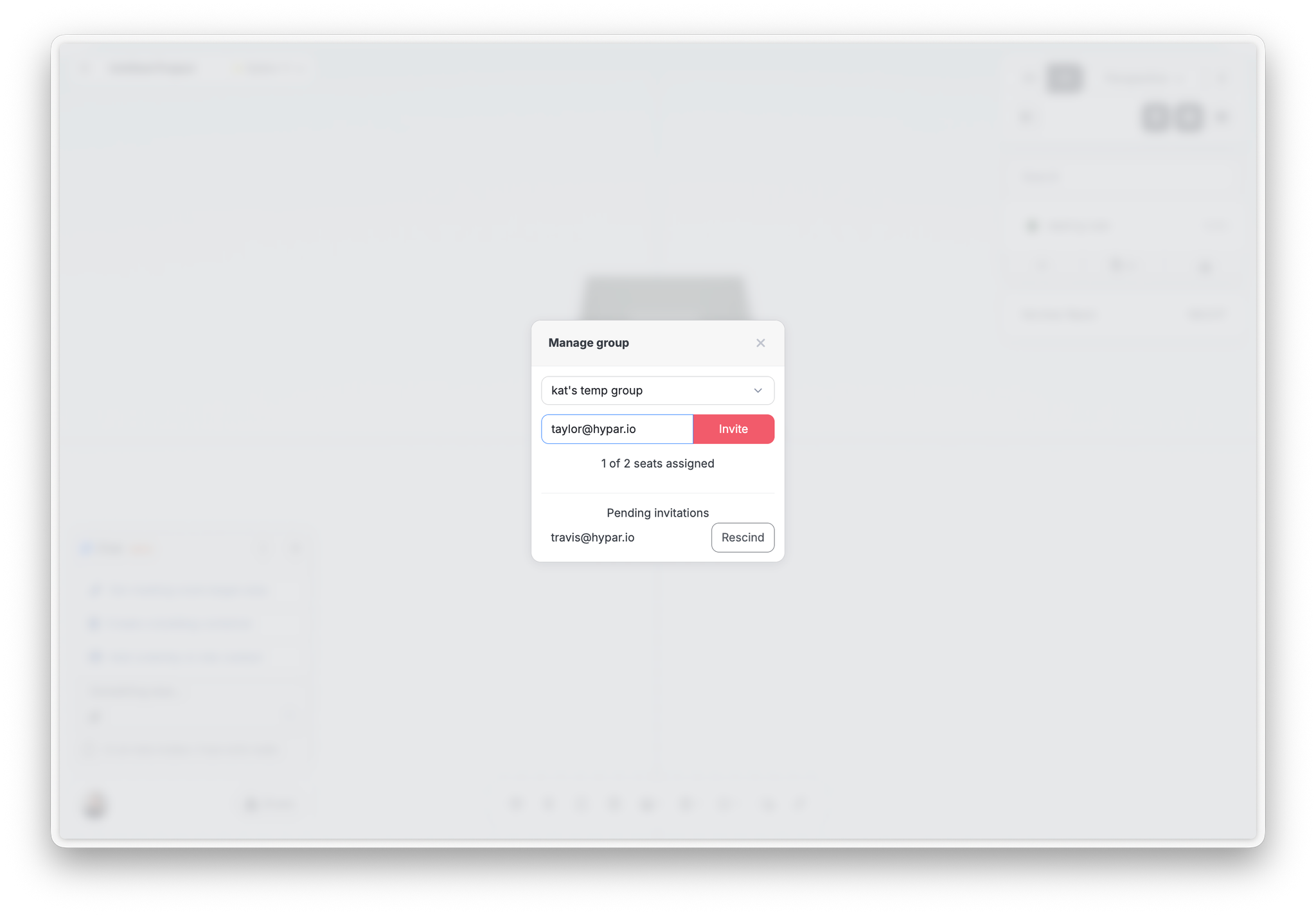
Click Assign Hypar seats and invite by email, using the address each person signed up to Hypar with. Revoke withdraws a seat. Group members get access to shared content along with their paid seat.
Last verified against Hypar v0.2.037 — September 4, 2026.